
Completely freeMac / Windows
The AI video editor
you just talk to
Just talk, and the AI moves the edit along.
You only make the final touches, by hand if you like.
01For you
Built for peoplelike you
For anyone who wants to make videos
but keeps getting stopped by the editing work

Learning video editing felt like too much,
so I never started
With AKARI Videothere is nothing to learn
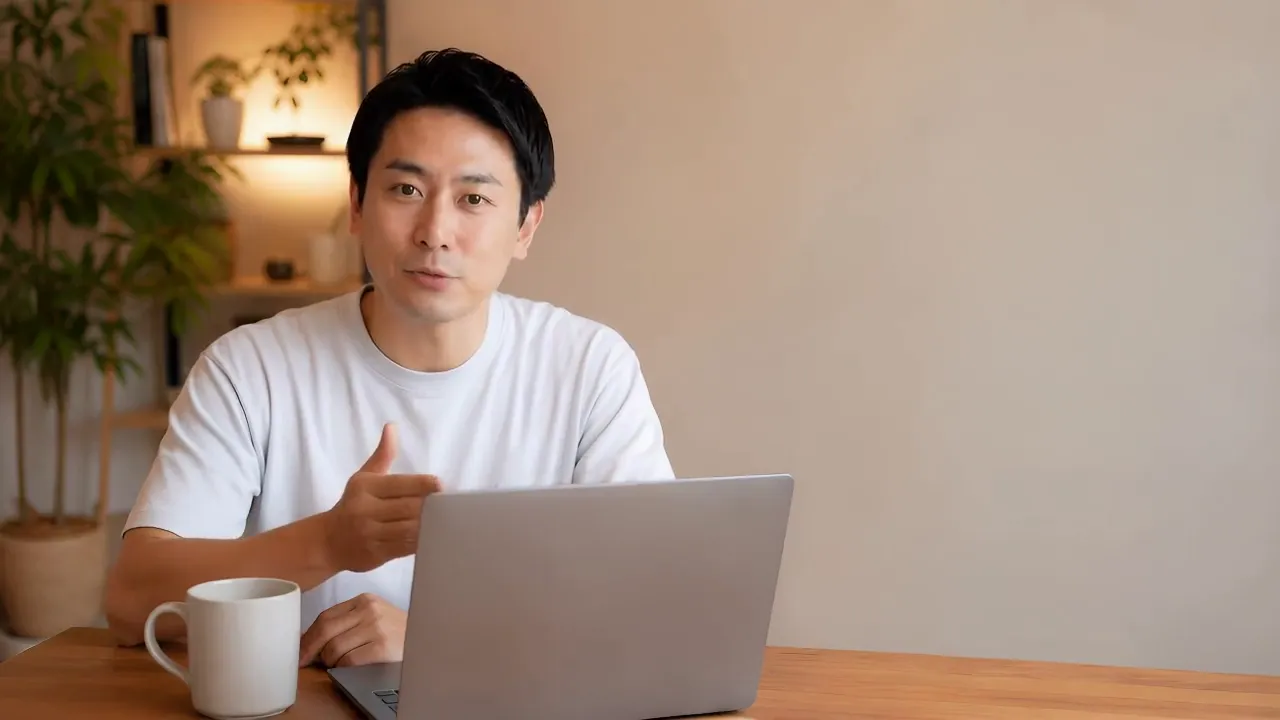
Just say what you want

Adding captions
takes far too long
With AKARI Videothe AI handles everything from transcription to captions
You only fix the spots that bother you

I want to sell my products
and services with video
With AKARI Videoyour footage and what you want to say are enough
Lab has plenty of assets for anything missing
Just talk, and
most of the editing is done
You only make the final touches
By hand, with the AI, or both
02Partner AI
The AI you already usebecomes your editing partner
Claude Code and Codex (ChatGPT) work as they are
opencode, Cursor Agent, Muse Code CLI and others are available too
Edit by chatting, with the account you already have
FreeSome AI partners are free to use (for example, Antigravity's free tier or opencode's free models). Details
- If it is not installed, the app installs it for you
- Then just sign in in your browser
- Start from "Add partner" on the right of the screen
 Claude CodeWith your Claude accountConnected
 CodexWith your ChatGPT accountAddSigning in in browserConnected
 opencodeWith many different modelsAdd
See other partners7
 AntigravityGemini, with your Google accountAdd
 CursorWith your Cursor accountAdd
 GitHub CopilotWith your GitHub accountAdd
 Grok BuildWith your xAI accountAdd
 Command CodeLangbaseAdd
 PiEarendilAdd
 DevinDevin CLIAdd
03How it works
Everything is just talking
Drop in, ask, wait, fix
It is mostly a conversation with the AI, and you can of course fix things by hand
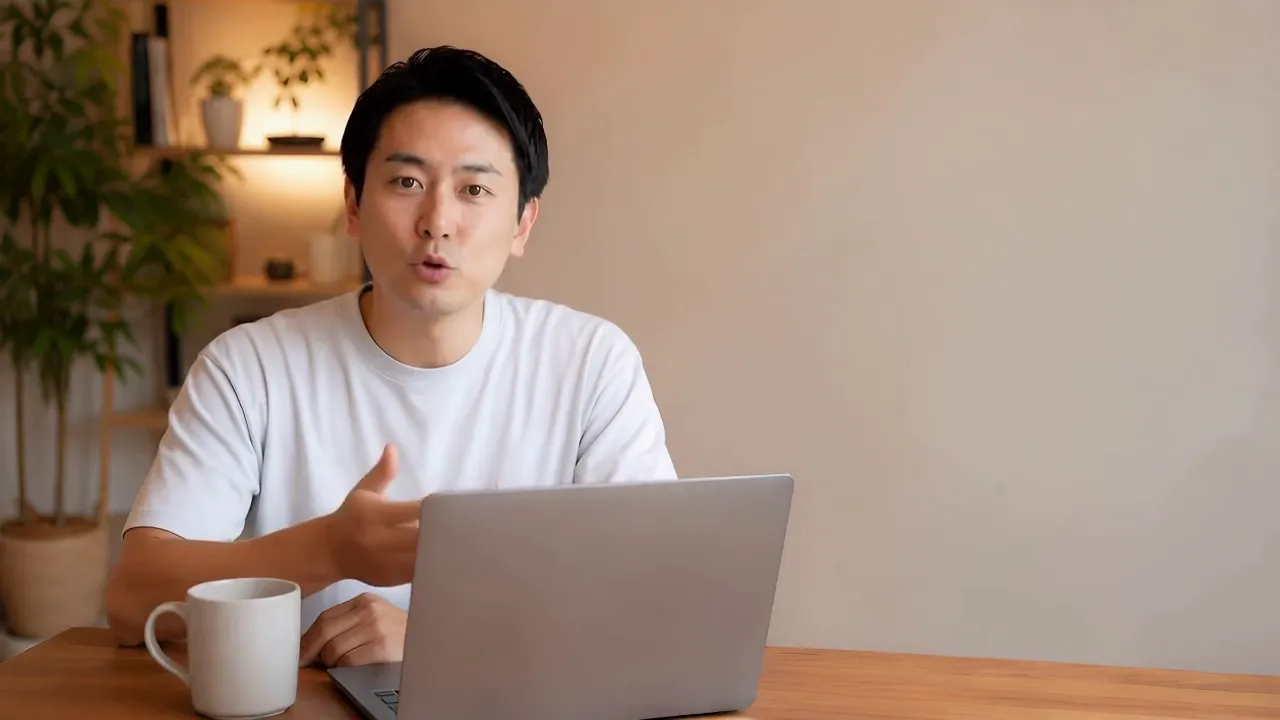
01 / Drop in
Drop in
your footage
Start with "+ Start a new video" on Home
and just drag and drop your video and audio
You can also start from the Playbook of a video you made before
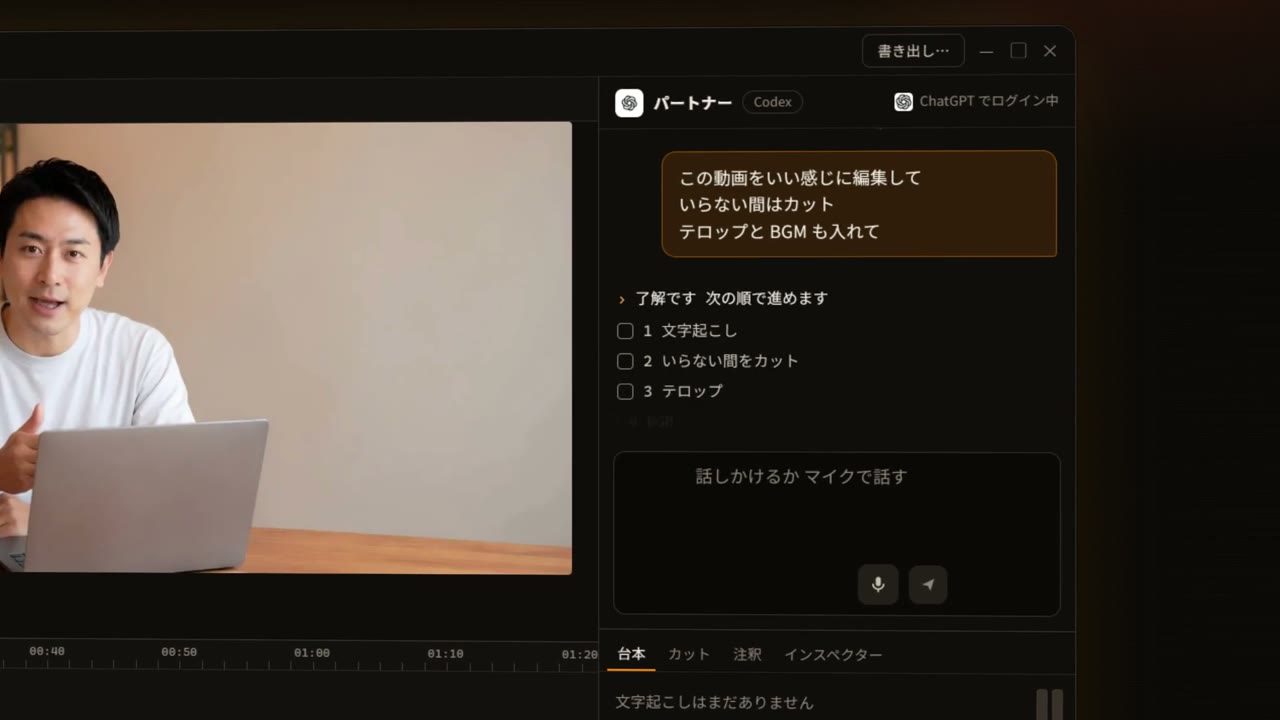
02 / Ask
Ask the way
you would talk
Type "cut the dead air and add captions" and send
You can also pick what to do and how long it should be
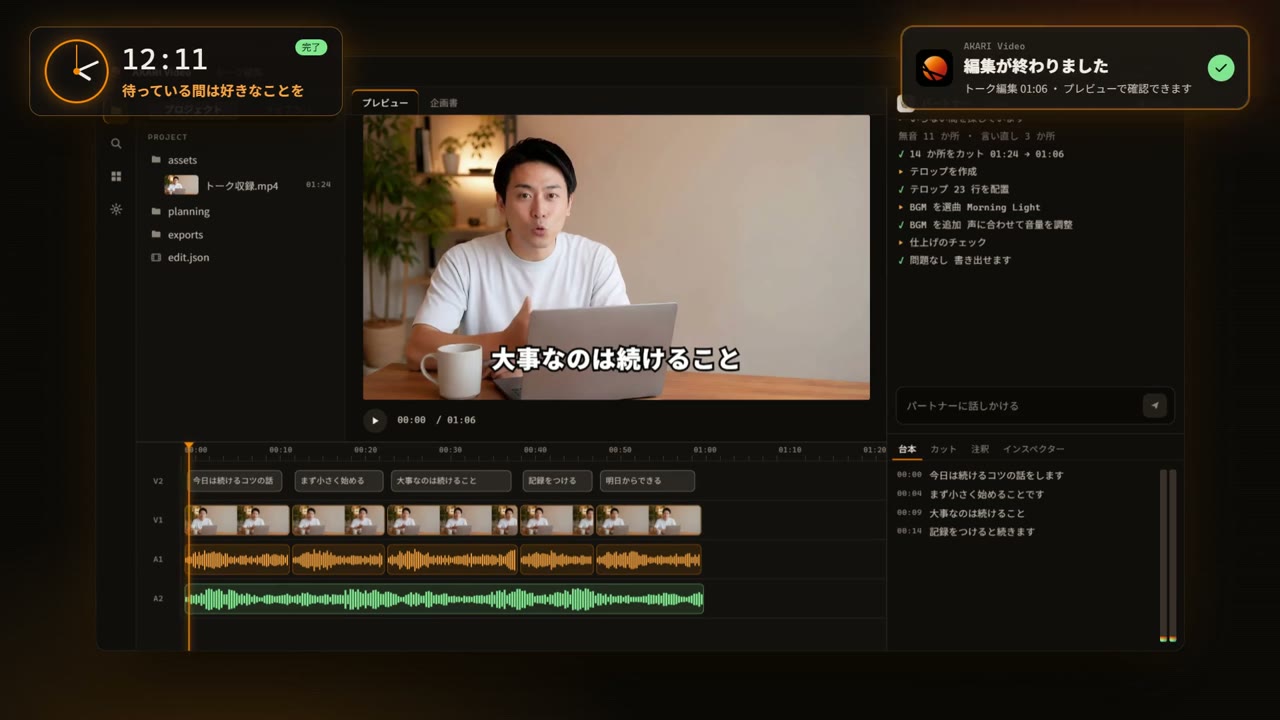
03 / Wait
Wait a few minutes
and it is nearly done
The AI handles it all, from transcription to cuts and captions
Feel free to do something else while you wait
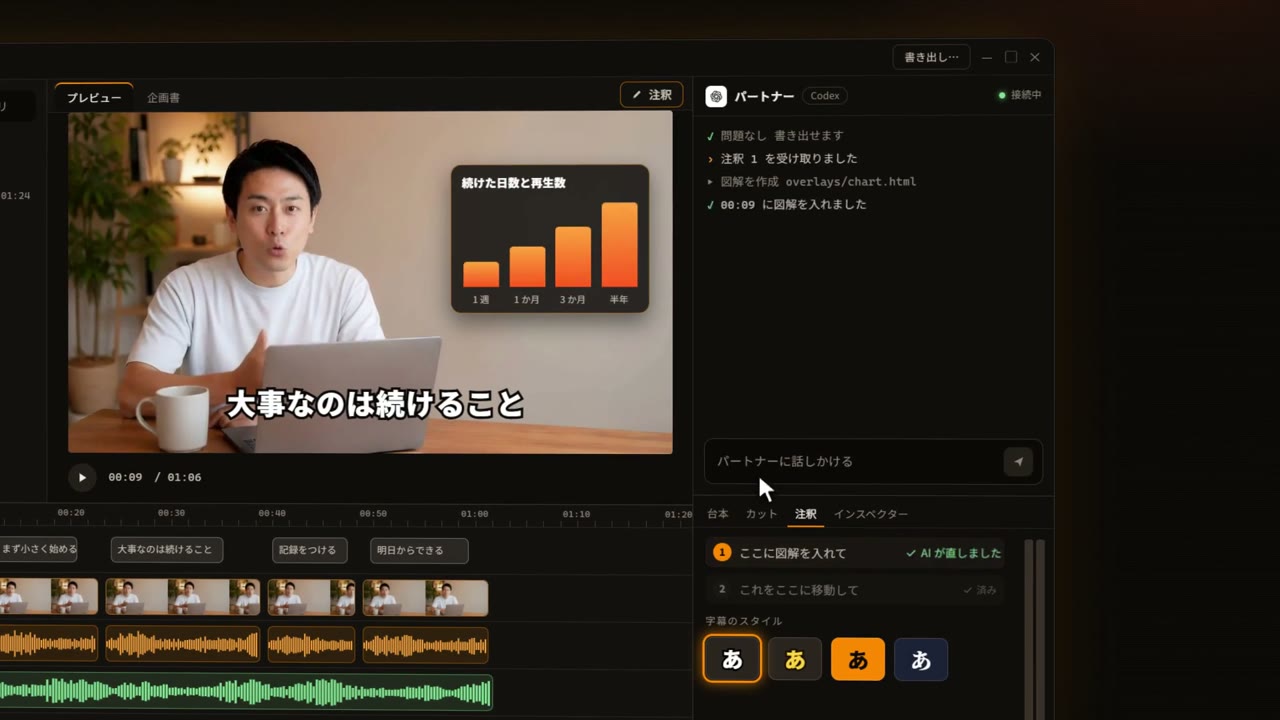
04 / Fix
Mark it
and add a note
Mark the preview with a pen or pin, send "put a diagram here", and the AI fixes it
A caption style can apply to everything or only to the text you select
05 / Assets
Assets, too,
inside the app
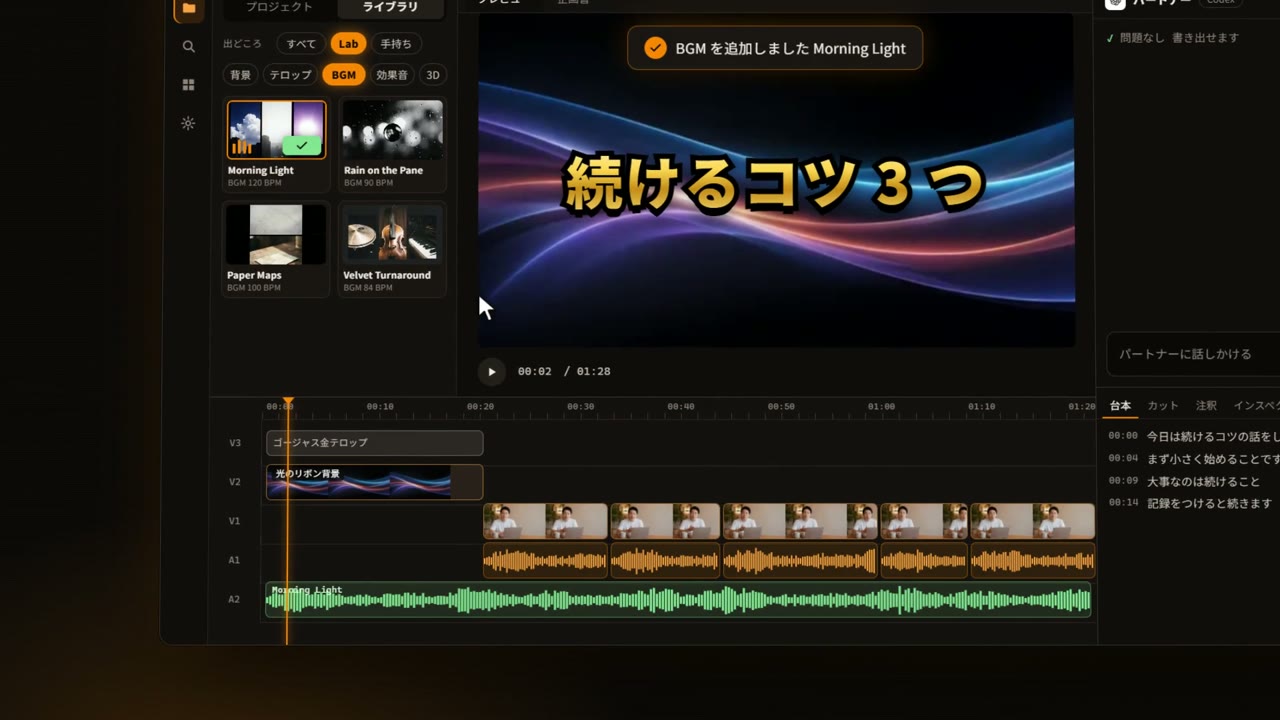
Pick "Lab" in the Library, preview, and press "Use"
Drag it onto the timeline
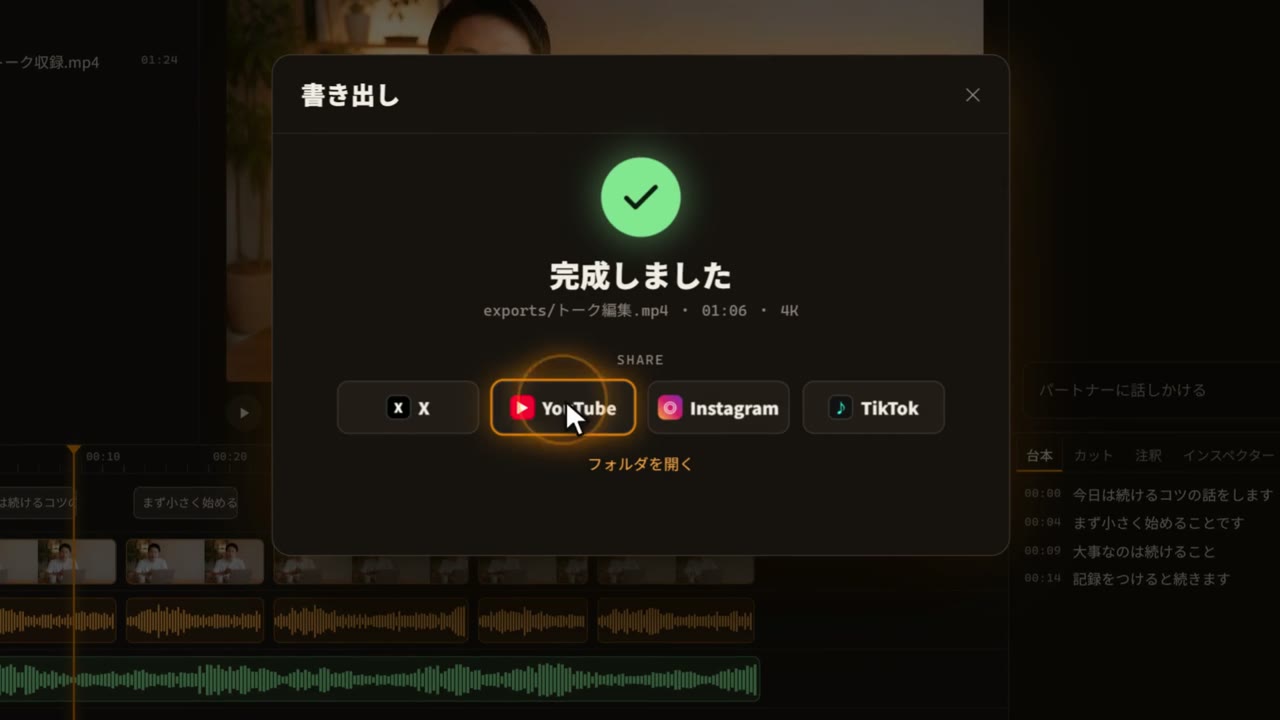
06 / Export
Export and
share right away
Press "Export" and you are done, up to 4K
Share straight to X, YouTube, Instagram and TikTok
 New video
 Interview #122 days ago
 Product teaserLast week
 3-min explainerLast week
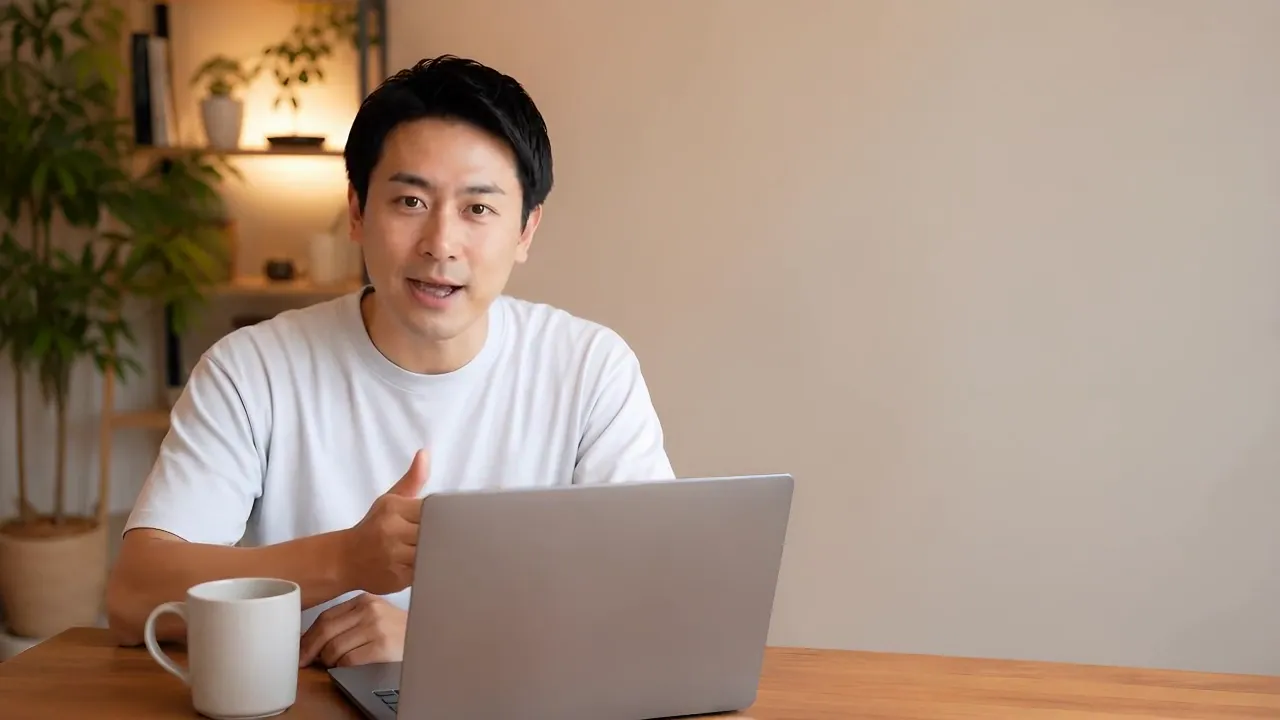
 talk_take1.mp4
 broll_cafe.mov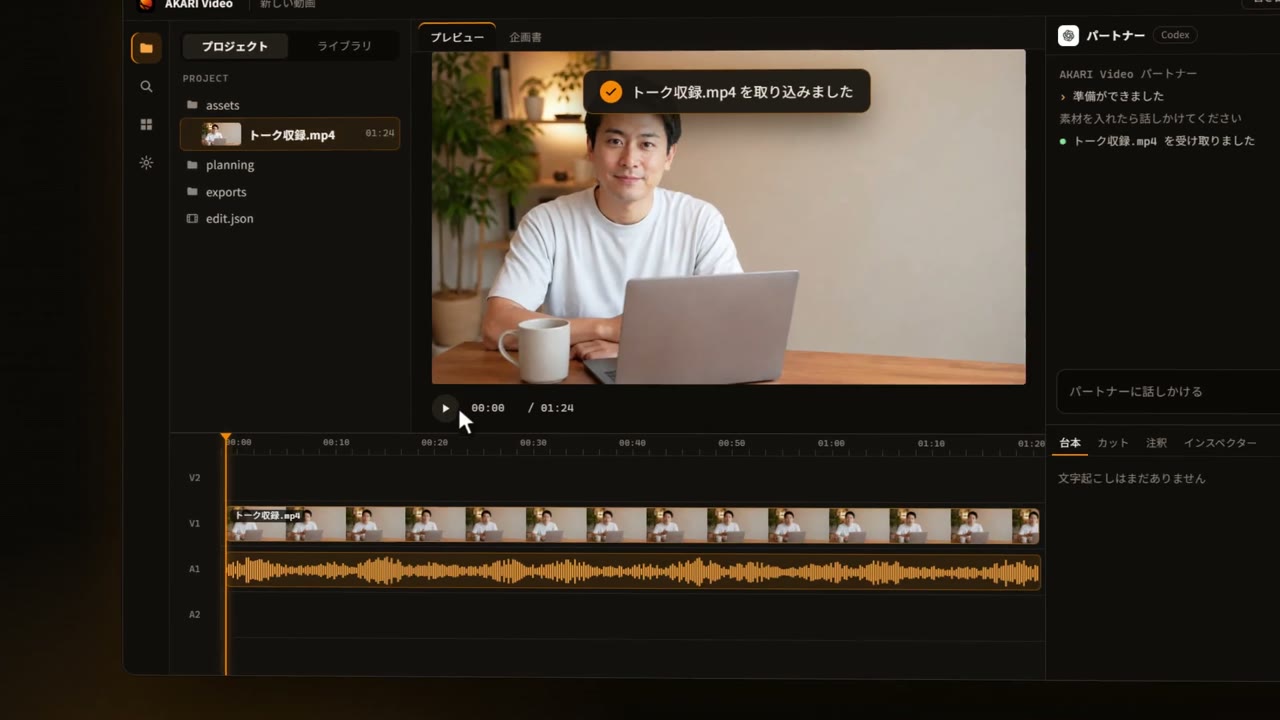


04Script
Edit the text,and the video follows
Your speech is transcribed automatically and becomes a script
Delete words from the script and that part disappears from the footage too
You can also line up "plans" and "notes" in the script
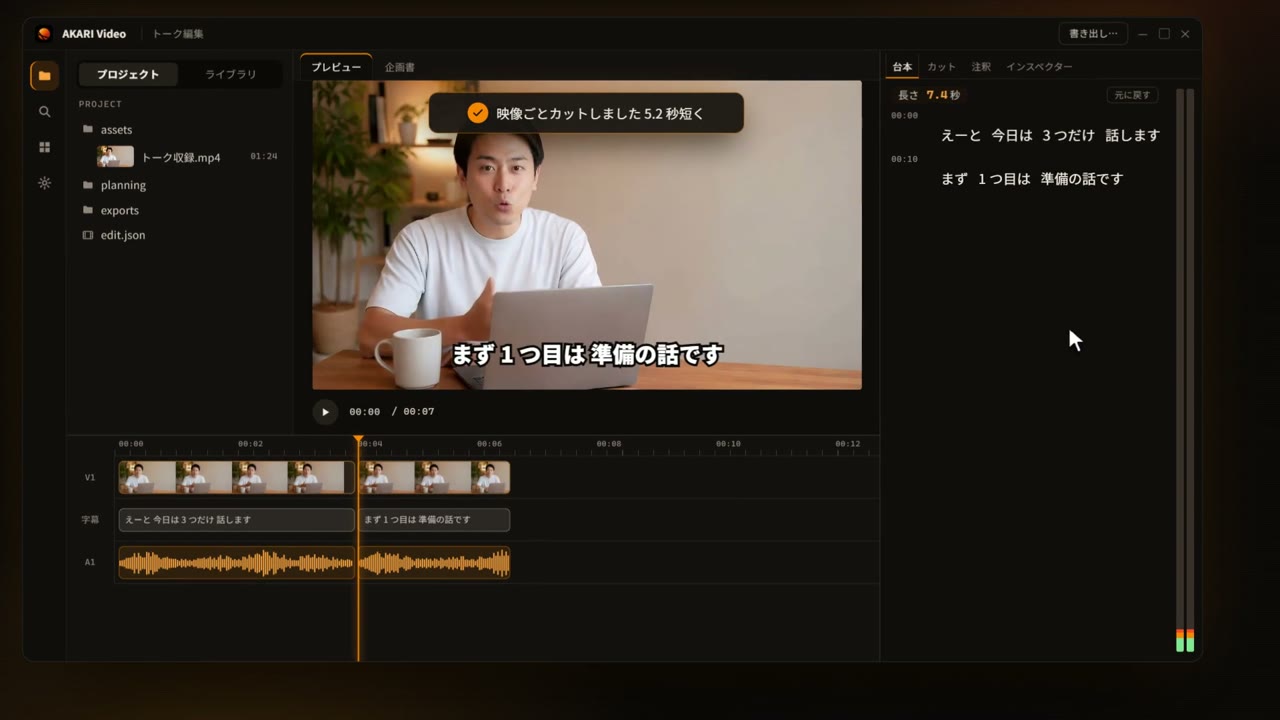
- Right-click a word,
then "Cut with video" - "Remove from captions only"
works too - Check the result
in the preview right away
05Edit by hand
Fix what you seeby touching it directly
No need to understand the timeline
Adjust caption position and photo size right on the preview
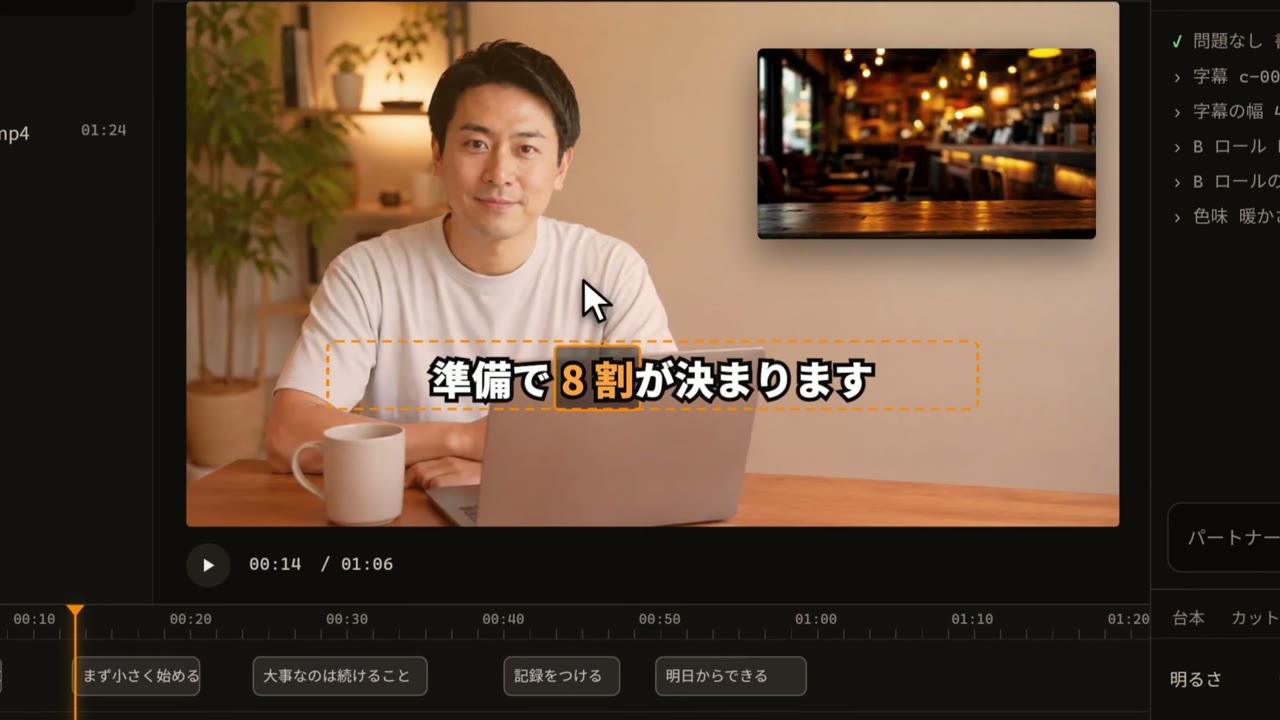
Drag captions into place
Position and width, right on the preview
Place B-roll and resize it
Drop a photo and pull its corner
Color in the Inspector
Brightness and warmth with sliders
Fix a single caption word
Double-click the word and retype it
By hand or with AI
It feels like a conventional editor, so you can fix things by hand
And the AI can perform every one of those same operations natively
or mark the preview and hand it over
06Works
All of itmade with AKARI Video
From company intro films to English lessons and explainers
These are videos actually made with this app
Click to play with sound
07AKARI Video Lab
This manyassets are waiting
Use AKARI Video Lab assets right from inside the app
The catalog has 7,900 items, with free assets and Pro assets you can use with a Lifetime pass
Rich on-screen text pack: 21 styles
See each one large and pick your favorite
Each comes with adjustable values, so the AI can use it right away

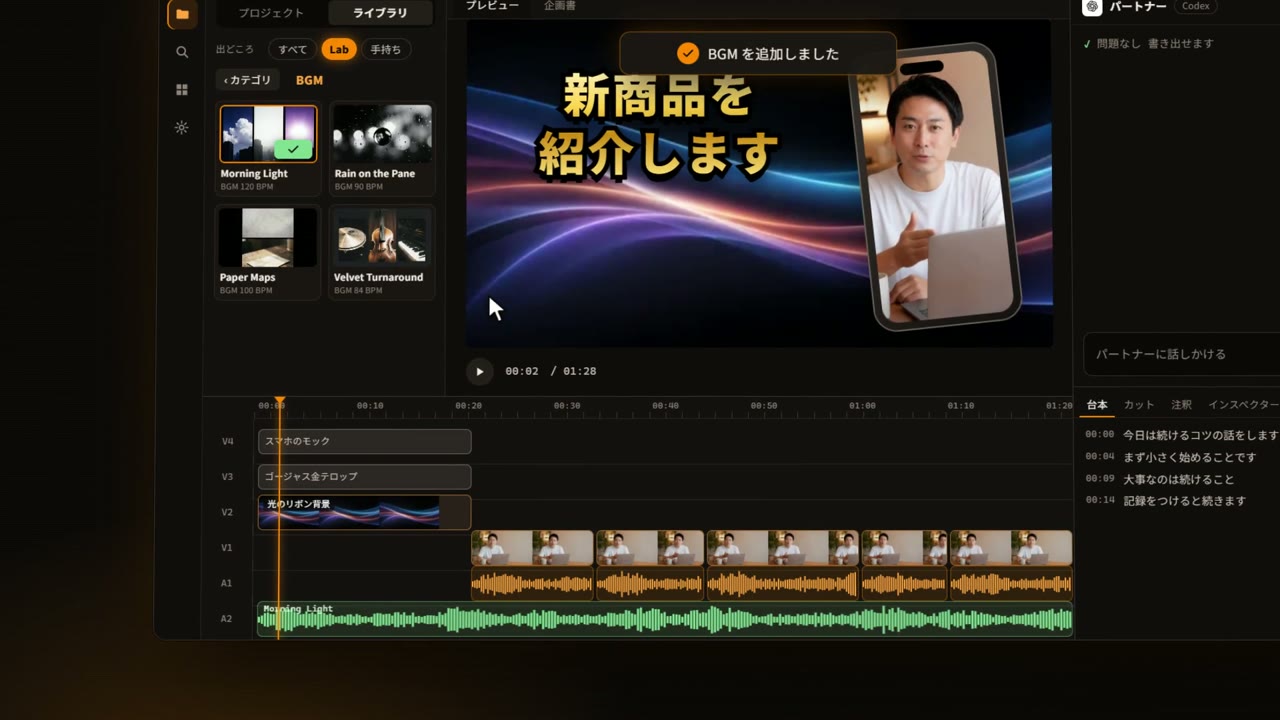
01Gorgeous gold text
Pick an asset and press "Use"
Open a category and choose an asset
and it goes into the preview right away
Linking is easy
Just once, at the start,
the starter pack of 646 files arrives automatically
- 1Settings
- 2AKARI account
- 3Connect
- 4Approve in browser
Next buyer getsNo. 152
Lifetime pass
Lifetime pass,
limited to 500 seats
Buy one and you get a pass with a serial number
Numbers run from 001 to 500 in order of purchase
- Use every Lab asset for good, including ones added later
- One person per account
- Sales end at 500 seats, with a move to a subscription or similar planned afterward
151 / 500 seats sold
The price goes up at each tier break (100 / 200 / 300 seats)
"Video assets the AI can understand and use"
Each asset carries meaning and adjustable values, so the AI can put it to work as is
08For power users
Go further
for those who want full automation
Install AKARI Video's tools and skills directly into the workspace (harness) where an AI agent such as Claude Code runs
Go from planning to export fully automatically without opening the app, ideal for mass-producing routine videos
- 28 skills (planning, asset analysis, edit planning, captions, narration, QA, export and more)
- Codex, opencode and Cursor Agent find the skills automatically
- Save a Playbook and use it as the starting point for your next video (
akari new --from) - Install Lab assets by ID too (
akari store install <id>)
# Install in one line
irm https://raw.githubusercontent.com/AkariLabs/akari-video/main/install.ps1 | iexcurl -fsSL https://raw.githubusercontent.com/AkariLabs/akari-video/main/install.sh | bashnpm i -g akari-video# Claude Code plugin
claude plugin marketplace add AkariLabs/akari-videoclaude plugin install akari@akari/akariinside a session09Open source
Completely freeand the source is public
AKARI Video is open source under the MIT License
If you like it, show your support with a star on GitHub
—GitHub Stars
- MIT License
- Akari Labs
- Windows · macOS

10Why
Why I built it
I regularly share how to make good use of technology, AI included. As a Regional Revitalization Cooperator (a Japanese government program), I have helped local businesses go digital.
I believe the coming era favors individuals and small businesses over big companies. To survive in it, you have to keep putting your own message out. Video is the most laborious part of that. But with AI you can automate publishing yourself, and I have felt that firsthand as an engineer.
So I built a tool that anyone can use to do the same. You just talk, most of the editing is done, and a person only handles the final polish. I am offering it to everyone for free.
Ryoma NakajimaDeveloper, Akari Labs
11Community
Connect withother creators
News, questions and sharing your videos happen on Discord
12FAQ
Frequently asked questions
Anything else on your mind? Ask on Discord
Q1Is it really completely free?
The app is completely free (open source under the MIT License)
The AI partner is billed by whichever service you subscribe to
Lab has free assets, plus Pro assets you can use with a Lifetime pass
Q2Does it run on Windows?
It supports Windows (x64) and macOS (Apple Silicon)
The Windows build is not code-signed, so the first launch shows "Windows protected your PC"
Click "More info", then "Run anyway"
The macOS build is signed and notarized
Linux has no app, only the command-line version for advanced users
Q3Do I need an AI subscription?
To use Claude Code or Codex as your partner you need a subscription to each (around $20 a month at the lowest)
You can choose your partner freely, and some AI partners are free to use
See the getting-started page for the free options
Transcription, editing, VOICEVOX narration and export all run on your own computer at no cost
Q4Can I edit by hand too?
Yes
You can fine-tune by hand with the feel of a conventional editor
The AI can also perform every one of those operations natively
By hand, with the AI, or both
Q5Which AI can I use?
Claude Code and Codex (ChatGPT) are our top recommendations. opencode, Cursor Agent, Muse Code CLI, GitHub Copilot, Antigravity, Grok Build, Command Code and more are supported
If one is not installed yet, the app installs it for you
You can also update CLI agents from Settings
Q6Can I use it if I have never edited video?
Yes. Drop in your footage and just say what you want
For anything that bothers you, mark the preview and ask, or fix it by hand
Q7Does it work on a phone?
It is a desktop app
If you are reading this on a phone, save the getting-started page and open it on your computer later
Q8What about the rights to the assets?
Free assets in Lab are CC0 (free to use however you like)
Pro assets can be used in your own videos with a Lifetime pass. Redistributing or reselling them on their own is not allowed
Check the terms on each asset's page in Lab
Q9Where do I use Lab assets?
Inside the app
Link your AKARI account once under "AKARI account" in Settings, and the assets appear in the Library on the left
Q10What formats can I export?
H.264, HEVC, ProRes 422 HQ and PNG sequences are supported
Up to 4K, with GPU export
When you are done, share straight to X, YouTube, Instagram and TikTok
Q11How do I update?
New versions arrive automatically
Just press "Restart now to apply"
Only the stable version arrives automatically by default. You can opt in to beta versions under "Update channel" in Settings
Q12Can I use the app in English?
Yes
Choose Japanese or English as the display language in Settings
In English, the bundled assets' names and descriptions and the first-run guide also appear in English
13Start
Completely free,ready to use right now
Start by dropping in one of your own videos
and try talking to it